


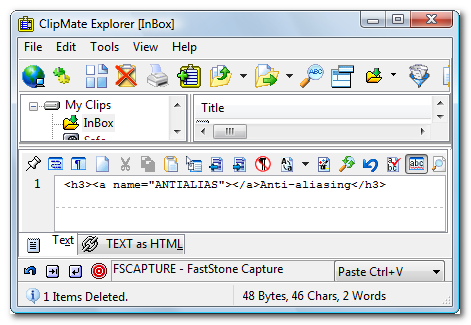
 ClipMate
A utility from ThornSoft that lets you keep many items at once in the clipboard. The latest version is 7.5.26 Last revised/verified: 2013-03-20. It has a number of other functions including various sorts of editing and automatic tidying of the clipboard. Useful for programmers and newsgroup posters. I used to use it hundreds of times a day. I don’t know how people edit without it. It stopped working properly and I have replaced it with Ditto. I have not tried the latest version.
It maintains a stack of clips you have Ctrl-C'ed out of a variety of applications. It considers the stack to grow down. To PowerPaste you can tell it to paste is the up direction, pasting the newest, then next newest etc. clip on the stack, in reverse order to the way you collected the clips, each time you hit Ctrl-V. Or you can point to an old clip in the stack and tell it to PowerPaste down and it will paste the old clip, then the next newer etc, in the same order you collected the clips, each time you hit Ctrl-V. It does many other things, but this is the bread and butter. There is no keystroke command to drop the top of stack, (I asked twice for it) but you can scroll back and forth into the stack.
You can use it with the GUI (Graphic User Interface) mouse interface or with HotKeys, configurable Ctrl/Alt keystrokes.
 .
.
 |
This page is posted |
http://mindprod.com/jgloss/clipmate.html |
Optional Replicator mirror
|
J:\mindprod\jgloss\clipmate.html | |
 |
Please read the feedback from other visitors,
or send your own feedback about the site. Contact Roedy. Please feel free to link to this page without explicit permission. | |
| Canadian
Mind
Products
IP:[65.110.21.43] Your face IP:[216.73.216.213] |
| |
| Feedback |
You are visitor number | |