


The current version is 8.0.11 Last revised/verified: 2018-04-19. A popular open source database. MySQL was created by was bought out by Sun, which in turn was bought out by Oracle. It started out as a toy but has matured into a full fledged SQL (Standard Query Language) database engine. It runs as a windows service in the background, automatically starting up with you boot. Sun bought it out on 2008-02-28. Then Oracle, a maker of a competing database, bought out Sun.
You will likely want to use the free Community Server edition, e.g. Windows (x86, 64-bit), MSI Installer version 5.6.11 Last revised/verified: 2013-04-30 97.8 megabyte download and possibly later migrate to the expensive enterprise edition with support. Use the custom install option if you want to install on a drive other than C:. It is possible to independently place the program and data files on different drives. You must download and install the Connector/J JDBC (Java Data Base Connectivity) driver and the documentation separately. You must manually put the Connector/J JDBC driver mysql-connector-java-5.1.10-bin.jar on the classpath (not just in a directory on the classpath). When you configure the database, make sure you allow remote TCP/IP (Transmission Control Protocol/Internet Protocol) access. Turning it off also turns off JDBC localhost access.
It even supports full text searching, the ability to find records that contain a word anywhere in the key. Simply declare an index of type FULLTEXT on the TEXT/CHAR/VARCHAR table columns which contains the text you want to search, then query the table using the MATCH()… AGAINST syntax. There’s a section in the manual which describes this facility.
MySQL follows the Unix tradition with command line utilities with a plethora of options and the documentation that treats them all as equally important. There is also a GUI-style database administrator available as a separate download. It lets you create new users and do the configuring with checkboxes instead of ini files.
Part of the configuration is to decide on a single encoding for all databases, e.g. UTF-8 for multilingual, or perhaps Latin-1 for English only.
The MySQL users have nothing to do with operating system users. MySQL manages its own list of users and passwords stored encrypted in the database tables. The administrator is called root.
| Key MySQL Utilities | |
|---|---|
| Utility | Use |
| mysql | Enter SQL commands manually to build tables or do ad hoc
queries and updates. Invoke with
mysql -hlocalhost -uroot -psesame to define the host (possibly remote), user id and password. Note the
lack of a space after -h, -u and -p. You can then type in
commands /* display version of MySQL you are using */ SELECT VERSION(); /* display all databases */ SHOW DATABASES; SQL: for more commands you can enter to explore You can run SQL command from a text file like this:
mysql -hlocalhost -uroot -psesame < mycommands.sql |
| mysqlD | The database engine itself. You can start it from the command line, though normally you start and stop it as a service. There are several versions of it, with various functions stripped out for speed. |
| mysqlAdmin | Database adminstration, e.g. clear the grant tables, by command line. Invoke
with
mysqlAdmin -hlocalhost -uroot -psesame |
| mysqlAdministrator | a GUI-style database administrator available as a separate download. It lets you create new users and do the configuring with checkboxes instead of ini files. It is quite a bit easier to use than the command line version. It lives in its own directory, not in bin with the rest. |
| mysqlImport | Used to bulk load text data into the database. |
| mysqlInstanceConfig | configure the my.ini file with a GUI (Graphic User Interface). |
| mysqlShow | Displays a list of databases available. Invoke with
mysqlShow -hlocalhost -uroot -psesame You can also use this command to display a list of available tables:
mysqlShow -hlocalhost -uroot -psesame alphadatabase or a list of column names in a particular table
mysqlShow -hlocalhost -uroot -psesame alphadatabase peopletable or a list of values in a particular column
mysqlShow -hlocalhost -uroot -psesame alphadatabase peopletable birthdate |
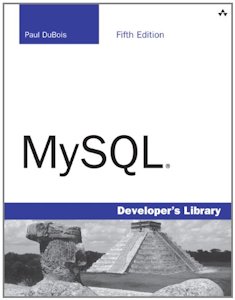 |
recommend book⇒MySQL (5th Edition) | |||
| by | Paul DuBois | 978-0-321-83387-7 | paperback | |
|---|---|---|---|---|
| publisher | Addison-Wesley Professional | 978-0-13-303853-8 | eBook | |
| published | 2013-04-12 | 978-0-13-303855-2 | WebBook | |
| B00C2SFK2Q | kindle | |||
| 1224 pages. Aimed at the beginner who knows nothing of SQL or MySQL. It is aimed at the C, Perl or PHP programmer. It does not discuss Java or JDBC. | ||||
| Greyed out stores probably do not have the item in stock. Try looking for it with a bookfinder. | ||||
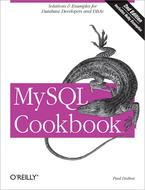 |
recommend book⇒MySQL Cookbook | |||
| by | Paul DuBois | 978-0-596-52708-2 | paperback | |
|---|---|---|---|---|
| publisher | O’Reilly  |
978-1-4493-3884-8 | eBook | |
| published | 2007-01-27 | B0093SZ51E | kindle | |
| Covers Java, C, Perl and PHP. | ||||
| Greyed out stores probably do not have the item in stock. Try looking for it with a bookfinder. | ||||
 |
This page is posted |
http://mindprod.com/jgloss/mysql.html |
Optional Replicator mirror
|
J:\mindprod\jgloss\mysql.html | |
 |
Please read the feedback from other visitors,
or send your own feedback about the site. Contact Roedy. Please feel free to link to this page without explicit permission. | |
| Canadian
Mind
Products
IP:[65.110.21.43] Your face IP:[216.73.217.135] |
| |
| Feedback |
You are visitor number | |


