
Hermit Crab Variable Length Record Files
©1996-2017 Roedy Green of Canadian Mind Products
Disclaimer
This essay does not describe an existing computer program, just one that should exist. This essay is about a suggested student project in
Java programming. This essay gives a rough overview of how it might work. I have no source, object, specifications, file layouts or anything
else useful to implementing this project. Everything I have prepared to help you is right here.
This project outline is not like the artificial, tidy little problems you are spoon-fed in school, when all the facts you need are included, nothing extraneous is mentioned, the answer is
fully specified, along with hints to nudge you toward a single expected canonical solution. This project is much more like the real world of messy problems where it is up to you to fully the
define the end point, or a series of ever more difficult versions of this project and research the information yourself to solve them.
Everything I have to say to help you with this project is written below. I am not prepared to help you implement it; or give you any additional materials. I have too many
other projects of my own.
Though I am a programmer by profession, I don’t do people’s homework for them. That just robs them of an education.
You have my full permission to implement this project in any way you please and to keep all the profits from your endeavour.
Please do not email me about this project without reading the disclaimer above.
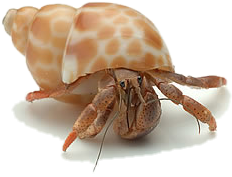 Hermit crab files allow you to efficiently manage
variable length records that can grow and shrink. You can access records by an integer
relative record number. Hermit crab files do not provide access by key, though you might
build an in-RAM index or Hashtable by key fields that gives you the relative record
number. They are called hermit crab files because as records grow, they abandon space
shells, which are then recycled for use by smaller records.
Hermit crab files allow you to efficiently manage
variable length records that can grow and shrink. You can access records by an integer
relative record number. Hermit crab files do not provide access by key, though you might
build an in-RAM index or Hashtable by key fields that gives you the relative record
number. They are called hermit crab files because as records grow, they abandon space
shells, which are then recycled for use by smaller records.
Here are some thoughts on how an efficient variable length record manager might work.
This is a virtual product. There is no such utility. I first proposed this back in
1991 for DOS (Disk Operating System). I have dusted it off a little for Java. It would be
useful for that intermediate territory where flat files are not quite smart enough and an
SQL (Standard Query Language) database is overkill.
Purpose
The Hermit Crab variable length record manager is a way to efficiently
handle variable length records. The strange name comes from the algorithm used. As
records (crabs) grow, they cast off their shells and find larger ones to live
in. Smaller records growing can then move into one of the cast-off shells.
The Interface
In DOS, Hermit would be a TSR (Terminate and Stay Resident)
you load before your application. In Java it would be an ordinary class. It can handle
files with records up to 64K bytes long.
You need to design your application to use the Hermit API (Application Programming Interface).
Though you can Copy, Move and Delete Hermit files with ordinary operating system
commands, you cannot edit them with ordinary word processors.
Hermit allows you to number your variable length records 0,
1, 2, .. 4,294,967,295. You can leave some numbers out, but you should attempt to
keep the highest record number used as low as possible. Read the later Under the
Hood to find out why.
Advantages
The advantages of hermit crab files are:
- The code uses only a fraction of the RAM (Random Access Memory)
that an equivalent SQL engine would.
- HermitCrab is just another class, thus easy and compact to install.
- very fast lookup by int record number.
- allows variable length records, or variable length serialised objects. These
records can grow and shrink with little efficiency penalty.
Disadvantages
The limitations of hermit
crab files are:
- they have no inherent searching ability. You have to search the records linearly
one by one.
- They have no indexes. You can build Hashtables from key to the prime int key. These
must be RAM resident. These
are not part of the hermit crab file system itself.
- You have to write the HermitCode java source yourself or hire someone (e.g. me,
hint hint) to do it for you.
- They do not have crash-recovery. SQL
databases have automatic recovery to the last transaction. You could copy the file
periodically to backup to provide some protection from crashes.
Interface Details
File Create
- You must specify the file name and the maximum possible record length.
- Optionally you may specify the maximum number of records that the file will hold,
and the average size in bytes of each record. These numbers are used to preallocate
space. They are not absolute limits on how big the file can grow.
- You may also specify the number of bytes of breathing room to use for each record.
This is padding space at the end of the record to allow it to grow without having to
move to a new shell.
File Open
- To open an existing file, simply provide the name.
Random Write
- You provide a reference to the record (array of bytes) you want to write and its
length. You also must provide the record number.
- Whether the record exists already or not is immaterial. It may grow or shrink from
its previous size.
- Writing a zero-length record DELETEs it. Its unused space will be reclaimed.
Random Read
- You provide provide the record number you want to read.
- Hermit allocates and returns a buffer.
Read Next
- Read next is similar to adding one to the record number, except that it
automatically jumps to the next record actually used.
- To read the whole file, start with a READ RANDOM on record 0, (or the low-water
mark derived from stats) then do READ-NEXTs.
- Note that there is so such thing as WRITE NEXT. It is safer for the programmer to
maintain the counter.
read Prev
- This is just like READ NEXT, except it works backwards. It is slower than READ NEXT
under Win95 because of the of the dippy way Microsoft handles the
FAT (File Allocation Table) chains.
Get Stats
- Hermit returns the fully qualified name of the file, the count of how many records
exist in the file, the breathing room, the low water mark record number used, the low
water mark smallest record, the high water mark record number used, the high water mark
largest record, the total number of bytes in all data records (not counting overhead),
and average record size.
- Note that High Water marks include records that may now be deleted. To get accurate
stats, you must do a REORG.
Reorg
- REORG reorganizes a file for maximum efficiency, collecting small discarded
shells -- free space from deleted records, into one big
pool of free space.
- optionally you may specify the maximum number of records that the reorganized file
will hold and the average size in bytes of each record. These numbers are used to
preallocate space. They are not absolute limits on how big the file can grow. Typically
you would do a STATS and then add some growing room.
- You may also specify a new breathing room parameter to use for each record.
- REORG is a relatively slow process since each record must be copied to a new file.
When the copy is done, the old version is deleted and the new one renamed to the old.
You need sufficient free disk space for two copies of the file. Hermit will not even
attempt the REORG unless there is sufficient room.
Under the Hood
- The key to the system is a large array of 32 byte pointers. You index this array by
record number and get the offset on disk where that record currently lives. The low
4 bits are always 0 since records are always aligned on even
16 byte paragraph boundaries within the file. This gives every record an average of 8
bytes breathing room to grow and shrink without having to find a new shell.
- The array is the only thing Hermit keeps in RAM
or RAM cache. If it has
to grow, it can build a new larger one on disk as needed. This is time consuming, so
you want to get good estimates of file size at CREATE or REORG time.
- The precise length of each record is also stored in the array of pointers to the
records. It takes 16 bits. We keep this information handy in
the array rather than with the record so that we can set up the physical read directly
into the user region in one single efficient i/o.
- The breathing room is not really what it appears. We arrange that shells come in
standard sizes. Let us say the breathing room were 8 bytes. If we aligned the records
always on a paragraph boundary — every 16 bytes, then on average every record
would have 8 bytes breathing room. Using this trick, we can save the overhead of having
to track both the shell size and the record size. Whenever we see a record (crab-size)
of say 100 bytes, we know the shell size must be one size bigger 7*16 = 112 bytes.
- When records are created, we just tack them on the end and set the pointer to
them.
- When records are deleted, we add them to the free space chains. Since shells come
in only a limited number of sizes, we can build a separate chain through the empty
shells, one for each size. By building a LIFO (Last In First Out)
queue of shells, all you need to do is write a record into the deleted slot with the
index of the previous cast off shell of that size on it, — a single efficient
disk i/o.
- To recycle the discarded shells, when we go to write a new record or expand a new
one, we first check if any free shells exist already of the desired size, before
creating one at the end of the file.
For very large files, you might split the logical file up into several smaller
physical files. This way they can span several physical hard disks with a read head
dedicated to each. Windows has notoriously slow random access on large files because it
chases linear FAT chains to find each cluster. Speed under Windows can thus
be improved by keeping physical random access files small.
Of course, if you have lots of RAM,
you can keep the entire structure in memory and just pickle it between incarnations.
In that case almost none of the Hermit Crab structure is required. You rely on the
garbage collection mechanism to find your growing and shrinking records new recycled
homes.
What is Wrong With This Scheme
- If a record shrinks, it must move to a smaller shell. Otherwise the relationship
between crab size and shell size would be broken.
- If no shells are available at the correct size, but they are available a little too
big, they cannot be used. Again the relationship between crab and shell must be
preserved.
- Eventually if say all records gradually grow, you will have all kinds of cast off
small shells that nobody wants. The only way to reclaim this space is to do a Reorg. In
theory it might be possible to do a mini Reorg to sort the array by offset, then
collapse pairs small shells into one big shell.
Indexing
You could build external hashing or Btree indexes to this file. They
would convert a key to a record number. The design of these indexes would be simplified
because they would not need to be updated when a record was moved, only when a key value
changed.
You might use a dual index — the base and the changes. On every reorg you merge
the changes back into the base. The base index can be a read-only structure which makes
it simpler to generate and more efficient to scan. The changes index is small, so you can
get away with less sophisticated indexing techniques, perhaps even something as crude as
a linear table or hashtable kept in RAM.
With 100 MB RAMs (Random Access Memories)
becoming commonplace, you might simply implement all your indexes as RAM-resident
hashtables that cough up a record number to hand to Hermit. A purely RAM-resident BTree
is a much simpler animal to code that a disk based one. You can use serialization to
load/store your RAM-based hashtables or Btrees.
Compression
Records could be compressed and decompressed on write/read. Even with
fixed length data, compression creates varying length compressed results.
Quick & Dirty
Perhaps you would use a Hermit Crab file if somebody else coded
it for you, but you have not the patience to do it. Here is how you could whip up a quick
and dirty one. Use a Hashtable or in-RAM array that tells where each record starts and
its precise length in bytes. If a record changes value, but not length, write it back to
the same spot where it was before. If it grows or shrinks, even so much as one byte,
write a new record for it at the end of the file. When you close the file, copy the live
records to a new file (which reclaims space). Then pickle the Hashtable or array in a
companion file.
You might even use an external sort such as Opt-Tech Sort to rapidly reorder your
records into the proper physical order.


