


Expensive glossy ink-jet papers can give almost photographic quality output. Make sure you print on the glossy side!
Should you use third party cartridges and ink-fill kits? Best let someone else try the brand and report on success. If you get new print heads with each cartridge about the worst that could happen is it does not work and you have to buy a new manufacturer’s cartridge. However, if you don’t get new print heads with each cartridge, you could gum up your one and only set of print heads.
If you were to open up an ink-jet cartridge, inside you would find a sponge holding the ink. This explains some of the mysterious warnings, instructions and problems. When you install the cartridge, you rip off a tab to open a vent to let air in to let the ink escape. The trouble is, this also dries out the ink on the sponge. You can’t use an ink-jet printer only once a month and expect the cartridge to last the normal length of time. The ink will dry out. Further, if you try to refill the non-working cartridge with one of those incredibly messy ink refill kits, you won’t get satisfactory results because the sponge may be too dried out and won’t hold the new ink. This is why they tell you to wait five minutes and try refilling again if you can’t get all the ink in the first time. It gives the sponge time to moisten and absorb the ink. That is also why they tell you to let the cartridge sit for 15 minutes after filling — to give the ink time to distribute itself over the entire sponge, rather than running out the bottom as a liquid. There are warnings on cartridges not not to rip off labels. This is because there are filling vents under them used at the factory. If you leave these exposed to the air, the sponge will try out very quickly. The tops of the ink cartridges are sometimes covered in mysterious swirling patterns, reminiscent of electronic circuits. These are just for show to make you think there is something complicated inside to justify the outrageous price. On the other hand, you must not cover up all the vents on the top either. There must be one tiny unclogged vent.
Don’t use the head cleaning feature of the printer unless you need it, because it consumes a considerable amount of ink. Put your ink cartridges in plastic bags if you don’t plan to use your printer for a while. This will stop the ink from drying out.
Printers companies can afford to give away printers because the cartridges are so expensive. One guy found it was cheaper to buy a pair of new printers (which came with cartridges) than buying new cartridges. Calculate your uses and the expected pages per cartridge to work out the best economics. Some people only print one page a month, doing all their black and white on a much cheaper per page laser.
Even though Canon continues to sell ink cartridges for its printers, it stops posting drivers for them a few years after release of the printer. You won’t get updates to a new OS (Operating System). You won’t be able to get them if you lose the CD (Compact Disc) or any updates you download. So make sure you have copies safely tucked away on CD or DVD (Digital Video Disc). You printer will likely stop working from lack of a driver long before it physically wears out.
Canon ink cartridges are outrageously priced, but not as outrageous as the competition. The printers are very inexpensive. The paper path is not easily accessible to deal with a jam. Happily paper does not jam inside. They whirr and click for a a preposterously long time before printing a page. They are very quick however, for subsequent pages. They often include a scanner than can be used to scan, do OCR (Optical Character Recognition), FAX (Facsimile) or behave like a slow Xerox copier.
If you buy the right kind of blank, you can print full colour CD/DVD (Compact Disc/Digital Video Disc) labels on you discs very quickly. In contrast LightScribe can take 15+ minutes and is monochrome. Not all inkjet printers can do this. They need a special tray to hold the CD.
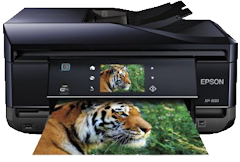 |
recommend electronic⇒Epson Expression Premium Photo XP-800 Small-in-One Wireless Color Inkjet Printer | |||||||||||||||||||||||||||||||||||||||||||||
| asin | B0091Y07XG | |||||||||||||||||||||||||||||||||||||||||||||
|---|---|---|---|---|---|---|---|---|---|---|---|---|---|---|---|---|---|---|---|---|---|---|---|---|---|---|---|---|---|---|---|---|---|---|---|---|---|---|---|---|---|---|---|---|---|---|
| Shared wirelessly. Can print on CD/DVDs. Can print glossy photos. Can print on both sides of the paper. Includes a scanner. Quick. Black: 12 pages per minute. Colour: 11 ppm. It uses 5 ink separate cartridges, each a different colour, costing about $21 each. Ouch! Dedicated photo paper tray. 30-page document feeder for unattended scanning. Rear feed for card stock/envelopes. Touch screen controls. Can copy existing CD labels. specifications | ||||||||||||||||||||||||||||||||||||||||||||||
| ||||||||||||||||||||||||||||||||||||||||||||||
| Greyed out stores probably do not have the item in stock | ||||||||||||||||||||||||||||||||||||||||||||||
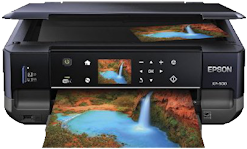 |
recommend electronic⇒Epson Expression XP-600 Wireless Small-in-One Color Inkjet Printer | |||||||||||||||||||||||||||||||||||||||||||||
| asin | B0091Y07Y0 | |||||||||||||||||||||||||||||||||||||||||||||
|---|---|---|---|---|---|---|---|---|---|---|---|---|---|---|---|---|---|---|---|---|---|---|---|---|---|---|---|---|---|---|---|---|---|---|---|---|---|---|---|---|---|---|---|---|---|---|
| Shared wirelessly. Can print on CD/DVDs. Can print glossy photos. Can print on both sides of the paper. Includes a scanner/copier. Quick. Black: 12 pages per minute. Colour: 9.0 ppm. Requires five separate ink cartridges, each a different colour costing about $19 each. Ouch! specifications | ||||||||||||||||||||||||||||||||||||||||||||||
| ||||||||||||||||||||||||||||||||||||||||||||||
| Greyed out stores probably do not have the item in stock | ||||||||||||||||||||||||||||||||||||||||||||||
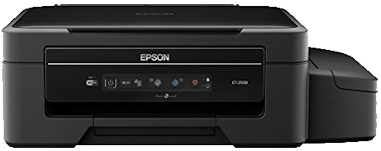 |
recommend electronic⇒Epson Expression ET-2500 EcoTank Wireless Color All-in-One Supertank Printer with Scanner | |||||||||||||||||||||||||||||||||||||||||||||
| asin | B01122JHMG | |||||||||||||||||||||||||||||||||||||||||||||
|---|---|---|---|---|---|---|---|---|---|---|---|---|---|---|---|---|---|---|---|---|---|---|---|---|---|---|---|---|---|---|---|---|---|---|---|---|---|---|---|---|---|---|---|---|---|---|
| InkJet printer. WiFi, Tablet and Smartphone (iPad, iPhone, Android) Printing, Easily Refillable Ink Tanks. The big problem with most inkjet printers is the cartridges last only a few pages and cost $40 and up to replace. This printer comes with 2 year’s worth of ink. Replacement ink (comes in bottles) is only about a tenth that of the competition. Print wirelessly from your iPad, iPhone, tablet, smartphone or computer with Epson Connect. ISO Print Speed: Black: 9 ISO ppm; Color: 4.5 ISO ppm. Maximum Print Resolution: 5760 x 1440 optimized dpi. Specs. This is the entry-level model in the EcoTank line. EcoTank line specs. | ||||||||||||||||||||||||||||||||||||||||||||||
| ||||||||||||||||||||||||||||||||||||||||||||||
| Greyed out stores probably do not have the item in stock | ||||||||||||||||||||||||||||||||||||||||||||||
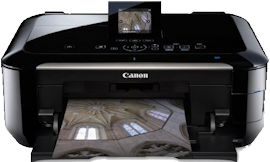 |
recommend electronic⇒Canon PIXMA MG6220 Wireless Inkjet Photo All-in-One Printer | |||||||||||||||||||||||||||||||||||||||||||||
| asin | B005GOPXRA | |||||||||||||||||||||||||||||||||||||||||||||
|---|---|---|---|---|---|---|---|---|---|---|---|---|---|---|---|---|---|---|---|---|---|---|---|---|---|---|---|---|---|---|---|---|---|---|---|---|---|---|---|---|---|---|---|---|---|---|
| Shared wirelessly. Top-rated by PC Mag for reliability. Can print on CD/DVDs. Can print glossy photos. Can print on both sides of the paper. Includes a scanner. Quite slow. Black: 12.5 inches per minute. Colour: 9.3 ipm. It uses 6 ink separate cartridges, each a different colour, costing about $18 each. Ouch! specifications | ||||||||||||||||||||||||||||||||||||||||||||||
| ||||||||||||||||||||||||||||||||||||||||||||||
| Greyed out stores probably do not have the item in stock | ||||||||||||||||||||||||||||||||||||||||||||||
 |
This page is posted |
http://mindprod.com/bgloss/inkjet.html |
Optional Replicator mirror
|
J:\mindprod\bgloss\inkjet.html | |
 |
Please read the feedback from other visitors,
or send your own feedback about the site. Contact Roedy. Please feel free to link to this page without explicit permission. | |
| Canadian
Mind
Products
IP:[65.110.21.43] Your face IP:[216.73.217.135] |
| |
| Feedback |
You are visitor number | |


