


The catch is, by default, anyone in earshot can tap into your LAN (Local Area Network) as if there were one of your computers. Make sure you configure encryption, user ids and passwords to make each station log into your LAN. You must give your wireless network a name. Other wireless LAN users in your building will also see this, so keep it clean and informative e.g. Apt 1a, 2030 Main Street. Usually you let the configuration program pick a random encryption key. You can use my password generator to compute and unguessable one for you. Write it down in case you later have to refresh the memory of your devices.
Wireless LANs (Local Area Networks) are usually slightly slower than using cable and they are more susceptible to electical interference.
The advantage is ease of installation and lack of clutter from the cables.
A wireless LAN is not totally wireless. It will have at least a cable to the Internet modem.
Some advanced cellphones take advantage of any nearby wireless LAN for fast, free data transfer, particularly music, video and web surfing. This only works within a building. For fast transfer to a cellphone tower, you need 3G.
On 2009-09-14 the new IEEE (Institute of Electrical & Electronics Engineers) 802.11n standard was ratified. It supports 300+ megabits per second.
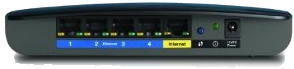 |
recommend electronic⇒Linksys EA2700 App-Enabled N600 Dual-Band Wireless-N Router | |||||||||||||||||||||||||||||||||||||||||||||
| asin | B007IL72CI | |||||||||||||||||||||||||||||||||||||||||||||
|---|---|---|---|---|---|---|---|---|---|---|---|---|---|---|---|---|---|---|---|---|---|---|---|---|---|---|---|---|---|---|---|---|---|---|---|---|---|---|---|---|---|---|---|---|---|---|
| Gigabit Ethernet connection. 4 ports. | ||||||||||||||||||||||||||||||||||||||||||||||
| ||||||||||||||||||||||||||||||||||||||||||||||
| Greyed out stores probably do not have the item in stock | ||||||||||||||||||||||||||||||||||||||||||||||
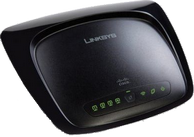 |
recommend electronic⇒Linksys E1200 Wireless-N Router | |||||||||||||||||||||||||||||||||||||||||||||
| asin | B004T9RR6I | |||||||||||||||||||||||||||||||||||||||||||||
|---|---|---|---|---|---|---|---|---|---|---|---|---|---|---|---|---|---|---|---|---|---|---|---|---|---|---|---|---|---|---|---|---|---|---|---|---|---|---|---|---|---|---|---|---|---|---|
| Cisco. Single band, 300 MBps. Supports Wireless-N, -B, -G protocols. Has four × 1000 Mb/sec ports and one USB printer port. | ||||||||||||||||||||||||||||||||||||||||||||||
| ||||||||||||||||||||||||||||||||||||||||||||||
| Greyed out stores probably do not have the item in stock | ||||||||||||||||||||||||||||||||||||||||||||||
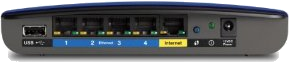 |
recommend electronic⇒Linksys EA3500 App-Enabled N750 Dual-Band Wireless-N Router and USB | |||||||||||||||||||||||||||||||||||||||||||||
| asin | B007IL6OR2 | |||||||||||||||||||||||||||||||||||||||||||||
|---|---|---|---|---|---|---|---|---|---|---|---|---|---|---|---|---|---|---|---|---|---|---|---|---|---|---|---|---|---|---|---|---|---|---|---|---|---|---|---|---|---|---|---|---|---|---|
| Gigabit Ethernet connection. 4 ports. 5G. 300+450Mbps | ||||||||||||||||||||||||||||||||||||||||||||||
| ||||||||||||||||||||||||||||||||||||||||||||||
| Greyed out stores probably do not have the item in stock | ||||||||||||||||||||||||||||||||||||||||||||||
 |
recommend electronic⇒Linksys EA4500 App-Enabled Dual-Band Wireless-N Router and USB | |||||||||||||||||||||||||||||||||||||||||||||
| asin | B007IL7AKM | |||||||||||||||||||||||||||||||||||||||||||||
|---|---|---|---|---|---|---|---|---|---|---|---|---|---|---|---|---|---|---|---|---|---|---|---|---|---|---|---|---|---|---|---|---|---|---|---|---|---|---|---|---|---|---|---|---|---|---|
| Gigabit Ethernet connection. 4 ports. 450+450Mbps | ||||||||||||||||||||||||||||||||||||||||||||||
| ||||||||||||||||||||||||||||||||||||||||||||||
| Greyed out stores probably do not have the item in stock | ||||||||||||||||||||||||||||||||||||||||||||||
 |
This page is posted |
http://mindprod.com/bgloss/wirelesslan.html |
Optional Replicator mirror
|
J:\mindprod\bgloss\wirelesslan.html | |
 |
Please read the feedback from other visitors,
or send your own feedback about the site. Contact Roedy. Please feel free to link to this page without explicit permission. | |
| Canadian
Mind
Products
IP:[65.110.21.43] Your face IP:[216.73.216.253] |
| |
| Feedback |
You are visitor number | |


