


A cookie is a technique a CGI (Common Gateway Interface) server/Servlet can use to store information in an HTTP (Hypertext Transfer Protocol) client for later retrieval to remind itself where it was in dealing with the client. You could think of a cookie as a laundry ticket that the client gives back to the server to remind it who the client is and what the client and server have done together in the past.
The cookie protocol, piggy-backed on HTTP is described in RFC 6265.
| How Cookies Work | Books |
| Confidentiality | Learning More |
| Modern | Links |
| Obsolete |
The HTTP format of cookies in the HTTP header the server sends to the client is somewhat more human-readable, e. g.
Cookies can be used to track logins. The client sends in an authentication cookie with each request to remind the server it is logged in and offers some proof it is, and a hint to who it is so the server can pick up the conversation where it left off.
Applets too can play with cookies, but only with the ones put there by the server from which they were loaded, or that were put there by Applets from that server. Applets can both read and write the cookies stored in the browser, just as the server can.
To handle cookies on the server you use javax.servlet.http.Cookie. The servlet sends cookies to the browser by using the HttpServletResponse. addCookie method. You should keep cookies under 4K and limit them to 20 per webserver, 300 cookies total. The cookie protocol between client and server is described in RFC 6265 section 3.3.2. The server retrieves cookies sent it by the browser/Applet with HttpServletRequest. getCookies.
To handle cookies in a client Applet you use java.net. CookieHandler. You use the static method CookieHandler. getDefault to get you the CookieHandler registered to store and retrieve all cookies for the browser. You don’t have to write your own CookieHandler. Then you use the get method of the CookieHandler object to get a list of all the relevant fields. You write a system-wide cookie handler and register it with the HTTP transport mechanism.
Tom Hall provided the following code snippet to allow an Applet to write a new cookie or to read the cookies it is permitted to see, without any help from the server. To delete a cookie, rewrite it with an expiry date in the past. Surprisingly, even though this code makes use of the Netscape JSObject, it works fine in Internet Explorer as well — no need to include the JSObject class files as they are packaged with IE (Internet Explorer) ’s Virtual Machine. For it to work, your APPLET tag must include the MAYSCRIPT option.
For early Java, you will also have to put the file \Program Files\netscape\communicator\program\java\classes\java40.jar on the classpath when you are compiling. In Java version 1.4 JSObject comes bundled in jaws.jar. In Java version 1.5 or later it comes bundled in plugins.jar. Last revised/verified: 2007-04-25 The IE browser will deal with finding the classes at run time. Unfortunately, the only browser I found that supports the official method [see code snippet below] is Internet Explorer 5.5/6.0.26. Not even Netscape 4.79 works!
I have only been able to get cookies to work the official way in IE 5.5, not Opera. Best to always use the field-at-a-time method [see code snippet above]. It works in IE, Firefox, Opera, Safari and Netscape and likely the most of the others. You could also try with JavaScript read/write cookie functions.
One piece of evidence for the Mickey Mouseness of cookies is they don’t have a standard timestamp format. Java works by trying to interpret them with three different formats and none of them are ISO (International Standards Organisation) !
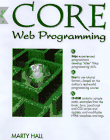 |
recommend book⇒Core Web Programming, second edition | |||||||||||||||||||||||||||||||||||||||||||||||||||||||
| by | Marty Hall and Gary Cornell | 978-0-13-089793-0 | paperback | |||||||||||||||||||||||||||||||||||||||||||||||||||||
|---|---|---|---|---|---|---|---|---|---|---|---|---|---|---|---|---|---|---|---|---|---|---|---|---|---|---|---|---|---|---|---|---|---|---|---|---|---|---|---|---|---|---|---|---|---|---|---|---|---|---|---|---|---|---|---|---|
| publisher | Prentice Hall | 978-0-613-92274-6 | hardcover | |||||||||||||||||||||||||||||||||||||||||||||||||||||
| published | 2001-06-03 | |||||||||||||||||||||||||||||||||||||||||||||||||||||||
| 1250 pages. Also has some simple RMI examples. This is a great doorstop of a book. It has a few chapters on client-server programming in Java and a section of that is on CGI. I have looked at hundreds of Java books and found nothing that deals in depth with client side Java talking to CGI, except Marty’s book. It is really very simple and he does an excellent job of explaining it. Marty has posted all the source code examples from the book for anyone to use. These contain updates and errata fixes you don’t get on the CD-ROM that comes with the book. | ||||||||||||||||||||||||||||||||||||||||||||||||||||||||
| ||||||||||||||||||||||||||||||||||||||||||||||||||||||||
| Greyed out stores probably do not have the item in stock. Try looking for it with a bookfinder. | ||||||||||||||||||||||||||||||||||||||||||||||||||||||||
 |
This page is posted |
http://mindprod.com/jgloss/cookie.html |
Optional Replicator mirror
|
J:\mindprod\jgloss\cookie.html | |
 |
Please read the feedback from other visitors,
or send your own feedback about the site. Contact Roedy. Please feel free to link to this page without explicit permission. | |
| Canadian
Mind
Products
IP:[65.110.21.43] Your face IP:[216.73.216.173] |
| |
| Feedback |
You are visitor number | |


