


| Ways of Handling Images | ||
|---|---|---|
| Method | How it Renders | Sample HTML (Hypertext Markup Language) |
| Displayed Image aka inline, embedded |
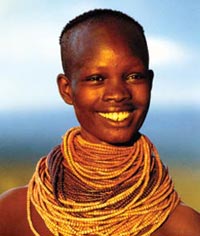 |
|
| Text Link to Image |
Click the text link to see an African woman. | |
| Icon Link to Image |
Click the camera icon to see an African woman.
|
|
| Thumbnail Link to Image |
Click thumbnail for a larger image. |
|
| Img Tag parameters | |||||||||||||||||||||||||||||||||||||||||||||||||
|---|---|---|---|---|---|---|---|---|---|---|---|---|---|---|---|---|---|---|---|---|---|---|---|---|---|---|---|---|---|---|---|---|---|---|---|---|---|---|---|---|---|---|---|---|---|---|---|---|---|
| Parameter | Notes | ||||||||||||||||||||||||||||||||||||||||||||||||
| <img | starts an inline embedded image, that displays a picture | ||||||||||||||||||||||||||||||||||||||||||||||||
| class="strawberry | apply the CSS (Cascading Style Sheets) strawberry stylse to this element. | ||||||||||||||||||||||||||||||||||||||||||||||||
| src=../image/people/africanwoman.jpg | where to find the jpg, png or gif, possibly an absolute url of the form http://mindprod.com/image/people/africanwoman.jpg | ||||||||||||||||||||||||||||||||||||||||||||||||
| alt=African Woman | Labels the image. This is not displayed. Sometimes the alt text becomes a tool tip hoverhelp line. Used by blind people to at least know what pictures contain. You may use &entities in the alt, but not <tags. | ||||||||||||||||||||||||||||||||||||||||||||||||
| title="African woman with large beaded necklace" | Information for the search engine spiders. They index it as if it were inline text. It does not display. Unlike alt, you can apply title to any html element. | ||||||||||||||||||||||||||||||||||||||||||||||||
| longdesc=describeafricanwoman.txt | Text file containing a detailed description of the image. Primarily used by the visually impaired. | ||||||||||||||||||||||||||||||||||||||||||||||||
| width=200 | width of the image in pixels. You may magnify or shrink, but shrinking wastes bandwidth and magnifying generates poor quality images. If you leave it out it the image will render natural size, but will render more slowly. | ||||||||||||||||||||||||||||||||||||||||||||||||
| height=236 | width of the image in pixels. You may magnify or shrink, but shrinking wastes bandwidth and magnifying generates poor quality images. If you leave it out it the image will render natural size, but will render more slowly. | ||||||||||||||||||||||||||||||||||||||||||||||||
| align=top | control how the image aligns with the surrounding text. Experiment. You may
be surprised. choices are:
| ||||||||||||||||||||||||||||||||||||||||||||||||
| border=0 | no border around the image. The number is the border width in pixels. Borders are usually done with the much more detailed CSS style sheets. | ||||||||||||||||||||||||||||||||||||||||||||||||
 |
This page is posted |
http://mindprod.com/jgloss/htmlimages.html |
Optional Replicator mirror
|
J:\mindprod\jgloss\htmlimages.html | |
 |
Please read the feedback from other visitors,
or send your own feedback about the site. Contact Roedy. Please feel free to link to this page without explicit permission. | |
| Canadian
Mind
Products
IP:[65.110.21.43] Your face IP:[216.73.216.239] |
| |
| Feedback |
You are visitor number | |
 The quick brown fox
 !
!