


 ANT
ANTJavac does not need a make since it is capable of figuring out for itself what needs to be recompiled, however, ANT is useful for all the auxiliary build tasks like time stamping, copying, creating jars, jar signing, bundling for distribution, version control, logging, testing… ANT is multiplatform where batch files are not, making it better suited for team programming where developers may be using a variety of OSes (Operating Systems). You might think of it more as an XML-based scripting language than a simple make. Ant is not clever enough to figure out which classes it needs to include in a jar. An ANT-extension called Ivy, tackles that problems.
ANT is relentlessly multiplatform and hence requires almost no configuring. It comes as a zip without an installer. ANT does not use the registry. You must put its bin directory on the PATH for it to find its executables and set up ANT_HOME in the set environment using settings ⇒ Control Panel ⇒ system ⇒ advanced ⇒ environment.
SET ANT_HOME=J:\Program Files (x86)\apache-ant-1.8.2
I found that sometimes ANT could not find its own class files. I solved this by copying all its jars to the java ext directory. ANT requires that the environment variable JAVA_HOME be set correctly to J:\Program Files\java\jdk1.8.0_131\.
If you use genjar, copy GenJar.jar and genjar.properties to "J:\Program Files (x86)\apache-ant-1.10.3\lib\".
Here is how you might run an ANT script build.xml in the current directory:
or using CyWin Bash:
rem build with ANT under CygWin Bash
rem -v = verbose
rem -Duser.home=W: = set System property user.home to W:
rem -f build2.xml = use ANT script build2.xml (default is build.xml)
rem build = run the "build" target

ant -v -Duser.home=cygdrive/w -f build2.xml build
Following, in the next major section, is a fairly complicated script, one I use in production to build and sign a jar for the Wassup Applet. Just try to get the general drift of how it works.
// conditional increment in Java
if ( file.exists() ) i++;
you had to write: then you have some idea of the verbosity of ANT conditionals. Obviously, ANT conditionals are not written in Java, but they have that same degree of awkwardness. This comes from trying to do everything in pure XML syntax. In ANT you have to create a named step called a target that contains the commands you may or may not want to execute. Then you apply the keyword if and property name to the target. You have to elsewhere in the program set the property to true or false depending on whether you want the step executed. Then you have to do an <antcall to the step to attempt to execute it! All this because the ANT people have a love affair with XML ! It is major production to conditionally copy a file that may or may not exist.
Here is a much simpler script. It compiles and creates a jar for the com.mindprod.holidays.Holidays Applet. This Applet has a set of dynamic classes, one for each holiday in the year. It also has a resource properties file listing all the dynamic classes. You can take this script, change the properties in the definitions section and use it for your own projects.
Note that a typical ANT script only compiles explicitly mentioned *.java files and their dependencies. It does not do a javac *.java.
This script compiles many other scripts, doing the cleans in all scripts first, then the compiles etc.
The ANT people tend to set up directory structures like this: C:\project7\source\com\mindprod\holidays\ for the *.java files and C:\project7\build\classes\com\mindprod\holidays\ for the *.class files.
If you do things the Antish way, then the basedir is C:\project7\.
If you insist on doing things the simpler way with classes and source in the same directory and you have a simple directory structure like this J:\com\mindprod\holidays\ for both *.java and *.class, then your basedir is C:\.
The basedir defaults to the current directory when ANT was invoked. This is rarely what you want. When you use a meta-ANT script to invoke all your little build.xml scripts using <ANT or <subant, it can set and believe it or not, even override the setting in the individual build.xml scripts.
Though I don’t see ANT experts doing this, it seems logical you should explicitly specify the basedir in each xml script. Examples often show it as . or *.*. To me, this makes no sense. Then the script only works if you put the build.xml in the basedir and cd to the basedir before you start the script.
Beware the index=true option on <jar. At least turn it off if Java can’t find your classes. The problem has been reported in older ANT versions when you have a manifest Class-Path entry. If you set it to true, you must include additional jars using the indexjars feature.
Javish has the following advantages:
Unlike basedir, srcdir is not built into ANT. It is just a convention. You have to define it with a property.
<property name="srcdir" value="source"/>Further, javac is not smart enough to automatically look in the srcdir property. You have to explicitly specify it: the If you define srcdir as a relative directory name, it is relative to basedir, not the current directory. Setting it to . means it is the same as the basedir.
Now where should srcdir point? It depends just how much you want to recompile. Let’s assume you just want to compile the classes in the com.mindprod.holidays package.
If you do things the antish way, srcdir should point to C:\project7\source\com\mindprod\holidays\ where the *.java files you want to compile are.
If you do things the simple way with *.java and *.class mixed then srcdir should point to J:\com\mindprod\holidays\.
Let’s assume you want to recompile every java source in the entire com tree.
If you do things the antish way, srcdir should point to C:\project7\source\com\,
If you do things the simple way with *.java and *.class mixed then srcdir should point to C:\com\.
If you do things the simple way with *.java and *.class mixed then destdir should point to C:\, or just leave it out and javac will automatically put class files in the same directory as the corresponding source file.
<!-- pause -->
<input message="Press Return key to continue..." />
<property name="classes.dir" value="${basedir}/classes"/>
My rule in Java is this:
I have not officially released my Stomper. It contains far too much code specific to my needs, but it might give you an idea of how you could write you own. You can view it in the Subversion repository. You debug once, not once for each package. Either everything works or nothing works. This is important because debugging ANT scripts is difficult. ANT gives you very little explanation of why it does what it does and the documentation is abysmal. You have to figure most things out by experiment or by looking at other people’s scripts.
 |
recommend book⇒Ant in Action: Java Development with Ant, second edition | |||||||||||||||||||||||||||||||||||||||||||||||||||||||
| by | Steve Loughran and Erik Hatcher | 978-1-932394-80-1 | paperback | |||||||||||||||||||||||||||||||||||||||||||||||||||||
|---|---|---|---|---|---|---|---|---|---|---|---|---|---|---|---|---|---|---|---|---|---|---|---|---|---|---|---|---|---|---|---|---|---|---|---|---|---|---|---|---|---|---|---|---|---|---|---|---|---|---|---|---|---|---|---|---|
| publisher | Manning | |||||||||||||||||||||||||||||||||||||||||||||||||||||||
| published | 2007-07-12 | |||||||||||||||||||||||||||||||||||||||||||||||||||||||
| Convert JUnit and extending the core tasks. This is not just a repackaging of the ANT documentation. Also covers Ivy dependency manager. | ||||||||||||||||||||||||||||||||||||||||||||||||||||||||
| ||||||||||||||||||||||||||||||||||||||||||||||||||||||||
| Greyed out stores probably do not have the item in stock. Try looking for it with a bookfinder. | ||||||||||||||||||||||||||||||||||||||||||||||||||||||||
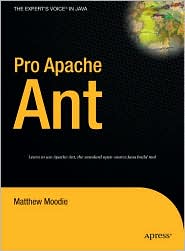 |
recommend book⇒Pro Apache Ant | |||
| by | Matthew Moodie | 978-1-4302-1309-3 | paperback | |
|---|---|---|---|---|
| publisher | Apress | 978-1-59059-559-6 | hardcover | |
| published | 2005-11-16 | B001PBEVYY | kindle | |
| Step by step examples. | ||||
| Greyed out stores probably do not have the item in stock. Try looking for it with a bookfinder. | ||||
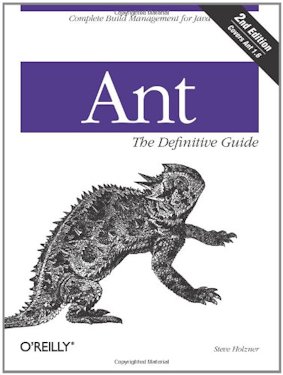 |
recommend book⇒Ant: The Definitive Guide, second edition | |||||||||||||||||||||||||||||||||||||||||||||||||||||||
| by | Steve Holzner | 978-0-596-00609-9 | paperback | |||||||||||||||||||||||||||||||||||||||||||||||||||||
|---|---|---|---|---|---|---|---|---|---|---|---|---|---|---|---|---|---|---|---|---|---|---|---|---|---|---|---|---|---|---|---|---|---|---|---|---|---|---|---|---|---|---|---|---|---|---|---|---|---|---|---|---|---|---|---|---|
| publisher | O’Reilly  |
978-0-596-55253-4 | eBook | |||||||||||||||||||||||||||||||||||||||||||||||||||||
| published | 2005-04-20 | B0043EWU3Y | kindle | |||||||||||||||||||||||||||||||||||||||||||||||||||||
| You would expect there to have been an ant on the cover, but that creature was already spoken for Oracle PL /SQL Programming. Not one of O’Reilly’s better efforts. Covers only up to Ant 1.6.1. | ||||||||||||||||||||||||||||||||||||||||||||||||||||||||
| ||||||||||||||||||||||||||||||||||||||||||||||||||||||||
| Greyed out stores probably do not have the item in stock. Try looking for it with a bookfinder. | ||||||||||||||||||||||||||||||||||||||||||||||||||||||||
 |
This page is posted |
http://mindprod.com/jgloss/ant.html |
Optional Replicator mirror
|
J:\mindprod\jgloss\ant.html | |
 |
Please read the feedback from other visitors,
or send your own feedback about the site. Contact Roedy. Please feel free to link to this page without explicit permission. | |
| Canadian
Mind
Products
IP:[65.110.21.43] Your face IP:[216.73.217.135] |
| |
| Feedback |
You are visitor number | |


