


Apache’s build tool. The current version is 3.5.3 Last revised/verified: 2018-03-08. You use a standard directory layout rather than specifing commands to describe how to pull it all together. You use a generated XML (extensible Markup Language) POM (Project Object Model) file that describes your project, rather than how to build your project as you do in Ant. Maven is particularly good for EE (Enterprise Edition).
Ant is very repetitive. Maven is a way of factoring out that repetitiveness. I used another technique for doing that before I had heard of Maven. I wrote a Java Stomp program to generate my Ant scripts.
You can see from this example Maven script contributed by Owen Jacobsen that, unlike ANT (A Neat Tool), you don’t get involved with the low level details of the various steps of compilation and bundling.
The <packaging> element, near the top, is enough to tell Maven how to build things, in most cases: <packaging>jar</packaging>, for example, causes src/main/java to be compiled, src/main/resources to be copied (and optionally filtered through a token-replacement layer), src/test/java to be compiled and run as test cases, then the resulting classes and files from src/main used to build a JAR. There are built-in packaging types for JARs, WAR (Web Archive) s, EAR (Enterprise Archive file) s, EJB-JARs, RARs (Roshal Archives) and some maven infrastructure types like pom. New packaging types (with associated standard build procedures) can be implemented as plugins — there are, for example, plugins for JBoss SAR (Service Archive) files, Flex applications and libraries and a bunch of other things.
If you need to specify how to build something, you can add new plugins to the build (not shown in the example) or reconfigure the standard plugins to behave differently. There’s also an inheritance model, where projects can inherit settings.
Most of the information in pom.xml is actually not related to building the project at all: it’s metadata about the project.
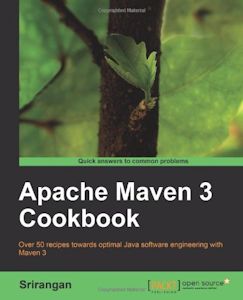 |
recommend book⇒Apache Maven 3 Cookbook (Quick Answers to Common Problems) | |||||||||||||||||||||||||||||||||||||||||||||||||||||||
| by | Srirangan | 978-1-84951-244-2 | paperback | |||||||||||||||||||||||||||||||||||||||||||||||||||||
|---|---|---|---|---|---|---|---|---|---|---|---|---|---|---|---|---|---|---|---|---|---|---|---|---|---|---|---|---|---|---|---|---|---|---|---|---|---|---|---|---|---|---|---|---|---|---|---|---|---|---|---|---|---|---|---|---|
| publisher | Packt Publishing | B005JYRL3G | kindle | |||||||||||||||||||||||||||||||||||||||||||||||||||||
| published | 2011-08-25 | |||||||||||||||||||||||||||||||||||||||||||||||||||||||
| Maven overwhelms with abstractions and verbosity. Here’s a way to use it without understanding every nook and cranny. | ||||||||||||||||||||||||||||||||||||||||||||||||||||||||
| ||||||||||||||||||||||||||||||||||||||||||||||||||||||||
| Greyed out stores probably do not have the item in stock. Try looking for it with a bookfinder. | ||||||||||||||||||||||||||||||||||||||||||||||||||||||||
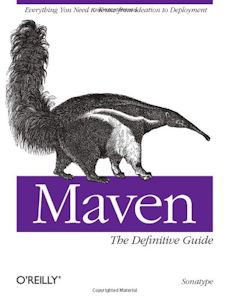 |
recommend book⇒Maven: The Definitive Guide | |||||||||||||||||||||||||||||||||||||||||||||||||||||||
| by | Sonatype Company | 978-0-596-51733-5 | paperback | |||||||||||||||||||||||||||||||||||||||||||||||||||||
|---|---|---|---|---|---|---|---|---|---|---|---|---|---|---|---|---|---|---|---|---|---|---|---|---|---|---|---|---|---|---|---|---|---|---|---|---|---|---|---|---|---|---|---|---|---|---|---|---|---|---|---|---|---|---|---|---|
| publisher | O’Reilly  |
978-0-596-55178-0 | eBook | |||||||||||||||||||||||||||||||||||||||||||||||||||||
| published | 2008-10-04 | B002PEP4P0 | kindle | |||||||||||||||||||||||||||||||||||||||||||||||||||||
| The author is the creator of Maven. Includes a variety of complete examples. New version 978-1-4493-6280-5 due out 2014-08-22. | ||||||||||||||||||||||||||||||||||||||||||||||||||||||||
| ||||||||||||||||||||||||||||||||||||||||||||||||||||||||
| Greyed out stores probably do not have the item in stock. Try looking for it with a bookfinder. | ||||||||||||||||||||||||||||||||||||||||||||||||||||||||
 |
This page is posted |
http://mindprod.com/jgloss/maven.html |
Optional Replicator mirror
|
J:\mindprod\jgloss\maven.html | |
 |
Please read the feedback from other visitors,
or send your own feedback about the site. Contact Roedy. Please feel free to link to this page without explicit permission. | |
| Canadian
Mind
Products
IP:[65.110.21.43] Your face IP:[216.73.216.213] |
| |
| Feedback |
You are visitor number | |


