Introduction
Book publishers are having a tough time
attracting new authors. Here is a scheme that will draw them irresistibly and provide
a new global market for existing titles. This essay is about the future of electronic
publishing, online books commonly called eBooks. It is less about on-demand
publishing.
I wrote this essay long before the invention of the portable
eReader.
I missed that possibility entirely when I wrote this. On the the other hand, eBooks have only
scratched the surface of what is possible that I lay out in this essay.
Why Authors Are Reluctant
Six book publishers have approached
me about writing books on Java. Initially the idea was very exciting, but quickly
soured, why?
- Information is needed now, within hours. Traditional book publishing has far
too long a lead time to provide current information.
- Many people would need just a little of the information in the book, not the
whole thing. They will not be prepared to buy the whole book.
- Information goes stale. Even the well-respected Java In A Nutshell contains errors because the
language specification changed. The author needs the right to update the book.
- Trees are sacrificed for books that may be read only once or not at all.
- It is a waste of effort to research information and then restrict its audience
only to affluent North Americans who buy the book. The need for knowledge is
global. The raw material should also be freely available on the Internet.
- Authors don’t want to slave away for months writing a book that nobody
buys. They want to be sure the idea will work before investing huge amounts of
their time.
The Solution
Consider something radically different from
traditional book publishing — pay per view online
books. online books are a cross between magazine, book and website.
In future, books will be composed online on the Internet. You can come and view
the on-going work in progress, much as you might watch a sidewalk artist. You can
make comments, offer criticism, ask questions and make suggestions for future
directions of the work. It becomes a collaborative process. Strange as it sounds,
even if you are silent, you can still contribute to the process by where you focus
your attention in the book. Software automatically monitors which parts of the book
you are reading and forwards the statistics to the authors. This gives them clues
about what is the most pressing thing to write about next.
There is already a pilot project of this form called The Java & Internet Glossary. Any time a new
Java-relevant term appears, usually within hours, there is a definition for it and a
URL (Uniform Resource Locator) reference in the glossary.
Paying
How do you pay? You can use the analogs from the printed
world.
- Pay per view.
- Subscription.
- Via advertising of products likely to be of interest to readers of the online
book.
- Via an Internet-general flat-rate receiver-pays per-packet content-charge.
How Do Traditional Book Publishers Fit In?
Publisher
provide:
- software for collecting pay-per-view fees from customers.
- editors to polish the more stable parts of the text.
- Publishers provide artists to produce illustrations.
- Publishers periodically take snapshots of the ongoing work for mass run paper
versions of works that are proving to be popular.
- print-on-demand factory to print and bind books from the most recent snapshot
of the online work. The customer gets to specify things like binding, size of type,
monochrome or colour, resolution, paper quality and which chapters are required.
The custom made books are then shipped by snail mail or FedEx.
- editing tools to authors to make their jobs easier.
Benefits to Book Publishers
- You don’t have to be omniscient. You invest almost nothing until a work
has proved itself popular.
- Your incremental costs per book sold are almost zero.
- You reach a global market with no extra effort.
- You keep selling the same work over and over even if there are only minor
revisions.
- You totally scoop the paper-only publishers.
- Your books benefit from immediate customer feedback. You don’t have to
wait for the reviews.
- Onlookers who helped construct a book will help sell it for you without pay by
chatting it up on the Internet.
- People will pay a small fee just to browse a book, or to take away a few
crucial pages.
- It totally automates royalty payments and book orders.
- The technique permits you to put all your existing books
online and start collecting pay per view royalties from people who would otherwise
go to libraries to borrow them.
- It lets you compete with all the completely free information on the
Internet.
- If a customer uses a book almost every day, you get continuing revenue.
Technical Details
Customers need Java and an Internet connection
to view your online books. The Java Applet acts like super
HTML (Hypertext Markup Language), giving full PostScript or
Acrobat PDF (Portable Document Format) displays and all the hypertext linking ability. Books
can be decorated with animations and little programs that run themselves when you
click them.
The Java Applet ensures people can’t read the book without paying the modest
pay-per-view fee. You may let people come in for 5 minutes at a time without fees, or
to read free teaser information, or whatever other rules turn out to work optimally
to maximise sales.
The Java Applet may also control whether the customer is permitted to keep a
permanent copy of what they view.
The Magic Java Glossary
People asked questions about Java
and the Internet in the newsgroups comp.lang.java.*. I
answered most questions with See xxxx. Sometimes there was
no xxxx entry, but I quickly composed one on the fly. It gaves the illusion that the
answer to every conceivable question was already in the Java glossary. People
sometimes imagined that if they did not first see the answer, they must have
inadvertently overlooked it.
Dealing With Information Overload
Quite often when I ask a
question, some person will answer RTFM (Read The Fine Manual),
RTFM.
The problem is the manual is as thick as War and Peace. I have not the time to read
29 manuals per day. When I do read manuals there are two problems:
- Much of the material I know already. I still have to wade through it.
- Much of the material is about esoteric options that are almost never used. I
still have to wade through that too.
Wouldn’t it be great if a had an assistant who went through the manuals,
and ripped out all the irrelevant stuff. She would prepare me an executive summary,
precisely aimed at my current level of understanding, much the way the President of
the USA is given executive summaries of various world problems.
If you had books in electronic form, the information could be coded in various
ways with how advanced/esoteric it is. The viewing software could then dynamically
hide or reveal more details. This would make the electronic books far more valuable
than paper ones.
See my essay on essay on
SCIDs. I am proposing creating similar tools both for browsing program
code and for browsing technical documentation. Think of documentation not as a
manual, but as a structured database.
Information Overload Categories
Information overload
categories are a generalisation of footnotes, used in paper books, to get incidental
information out of the main stream. Potentially every paragraph and every
illustration in the book could be graded on four scales given a mark 1 to 10.
Categories for Information Overload
| Categories for Information Overload |
|---|
| Icon |
1 |
Scale |
10 |
Icon |
Comments |
|---|
 |
overview |
Detail |
detailed |
 |
How detailed this material is. This allows the reader to either get an
overview or to get details. |
|---|
 |
easy |
Difficulty |
difficult |
 |
How difficult this material is. This would mainly be used to grade sample
exercises. This allows the reader to filter out material he likely already
knows or material over his head for now. |
|---|
 |
mundane |
Surprise |
surprising |
 |
How unexpected this material is. This lets the reader focus on the meat and
potatoes, the ordinary cases, things as you might expect or focus on just the
gotchas. |
|---|
 |
basic |
Rarity |
esoteric |
 |
How rarely used this material is. This lets the user focus on the basic
options, the ones nearly everyone uses, or look just at the rarely used ones
once he knows the basics. Esoteric options are not necessarily difficult, just
rarely used. |
|---|
 |
cloudy |
Familiarity |
understood |
 |
This is not a category the author would normally assign. The reader assigns
it as he learns the book to mark off parts he already understands. That way he
can either review material he already knows, or concentrate just on the
material he does not understand yet. The authors can use this
automatically-collected feedback from their readers to discover the sections of
the book that need to be re-written. |
|---|
 |
wrong |
Accuracy |
accurate |
 |
This is not a category the author would normally assign. The reader
population as a whole assigns it by their automatically collected feedback.
They mark sections of a book they think may be erroneous, misleading or
unclear. This helps the author discover places in the book that need correction
or rewrite and warns other readers of potentially untrustworthy
information. |
|---|
The icons shown are just to give a rough idea of the concept. An artist would design the actual icons to have a
consistent look.
The original authors may rate the paragraphs and the readers too may so do, with
feedback automatically collected. Of course, a reader’s rating take precedence
for that particular reader.
The reader adjusts low and high limit on each of the six sliders. This temporarily
limits what actually gets displayed. To see everything, adjust all six sliders to
include 0 to 10 on all six scales. You can change them at any time. The coloured bar
indicates the region you want to see.
Information Overload Filter Sliders
| Information Overload Filter Sliders |
|---|
|
0 |
1 |
2 |
3 |
4 |
5 |
6 |
7 |
8 |
9 |
10 |
|---|
| Detail |
|
|
|
|---|
| Difficulty |
|
|
|
|---|
| Surprise |
|
|
|---|
| Rarity |
|
|
|
|---|
| Familiarity |
|
|
|
|---|
| Accuracy |
|
|
|---|
| |
|
|
|
|
|
|
|
|
|
|
|
Recovering Filtered Material
If you have filtered out
material, all is not lost. When you are viewing an electronic book, the sections left
out are replaced with one or more of the placeholder category icons. That way if you
want more detail or something simpler, than you are currently configured for, you can
see it just by clicking the icons. You do net need to reconfigure the filter sliders.
The icons are rather bulky, so you can replace them with coloured dots. You can
also make up your own icons if you like.
Here is an even more compact way to do it:
extra material icons
 |
There is more material available that rates too low on one or more scales
to currently display. |
 |
There is more material available that rates too high on one or more scales
to currently display. |
 |
There is more material available that rates both too low on one or more
scales and too high on one or more other ones to currently display. |
Here is yet an even more compact way to handle it.
Each bar represents a different category. The right bars represent undisplayed
material rated too high to display and the left bars represent undisplayed material
rated too low to display. This is analogous to the information overload filter
sliders.
Margin Notes
You have the ability to add margin notes to your
electronic book. Your notes are not lost when you get updates. If you want, you may
share your margin notes with other people. This is analogous to scribbling in the
margins of library books.
Change Bars
The filtering technique could also be used to
show you just the newly updated material in a book. The reader could also
automatically generate change bars, so that any material changed since some given
date would have change bars on it.
Distribution
How do you distribute an online book when it
is constantly changing? See my HTML Glossary Presenter and Automatic File Update student
projects.
Adobe Acrobat
In 2001-03, I went to an
Adobe seminar on Acrobat and PDF
PDF. I was
delighted to see that PDF is evolving nicely. It already has many of the
features I called for in the original version of this essay. There is an active
PDF
development community. I think the sort of online authoring I envision will most
likely evolve from PDF.
Adobe has invented Digital Edition eBooks.
There is nothing special about the content. They are just PDF
files. The scheme is about limiting who can view them and for how long. You can use
such documents in a lending library. The Acrobat Reader reader honours limits embedded in the file.
Summary
If Mike Nichols were to remake The Graduate, instead of plastics, subpenny royalties would be
whispered into Benjamin’s ear.
If you don’t surf the Java/Internet wave, it will bury you.
Book referral for George Orwell’s 1984
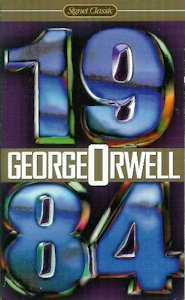 |
recommend book⇒George Orwell’s 1984 |
| by |
George Orwell |
978-0-451-52493-5 |
paperback |
|---|
| birth |
1903-06-25 1950-01-21 age:46 |
978-0-679-41739-2 |
hardcover |
|---|
| publisher |
New American Library |
978-0-547-41638-0 |
eBook |
|---|
| published |
1961-01-01 |
978-1-4332-0246-9 |
audio |
|---|
| |
B004EEP7JW |
kindle |
|---|
What happens when the state gets too much power. Political language is designed to make lies sound truthful and murder respectable and to give an appearance of solidity to pure wind
~ George Orwell Orwell’s novel 1984 becomes more relevant every year. - The technology to monitor every utterance, movement, keystroke used routinely to spy on everyone.
- Articles disappear, are edited and censored, are rewritten without record of changes.
- Those who resist, such as Bradley/Chelsea Manning and Edward Snowden are not just jailed, they are tortured in state-of-the-art ways.
- The government devises a specialised language for lying to people.
- Vilification of leaders of other countries to build group spirit.
- The government teaches children to spy on and betray their parents.
- We have even gone a little further, monitoring people’s thoughts so they cannot hide anything.
- But by far the most important, the people meekly submit.
|
|
| Greyed out stores probably do not have the item in stock. Try looking for it with a bookfinder. |
On the other hand, we all should re-read Orwell’s
1984 to see the consequences of failing to maintain an adequate change log. The other
consequences are legal. Without hard copy, digital signatures, or a permanent change
log, what does slander mean?





